|
Active Directory : Add Organizational Unit
2017/01/15 |
|
Add Organizational Unit on Active Directory.
|
|
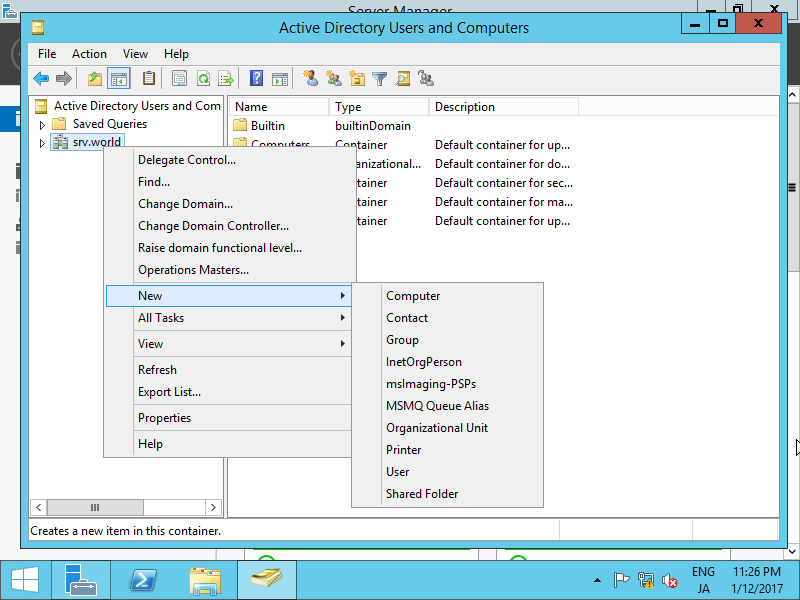
| [1] | Run [Server Manager] and open [Tools] - [Active Directory Users and Conputers], next, Click with right button your domain name on left tree and select [New] - [Organizational Unit]. |
|
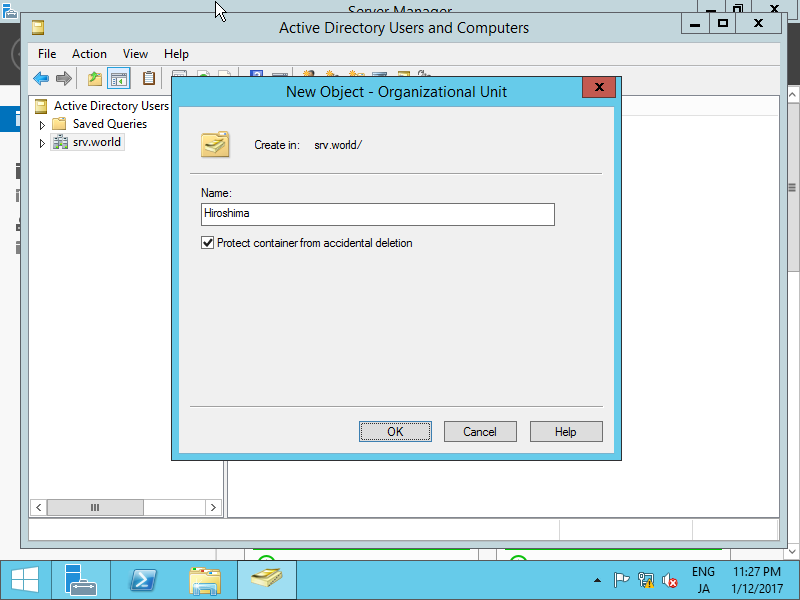
| [2] | Set any name you like. |
|
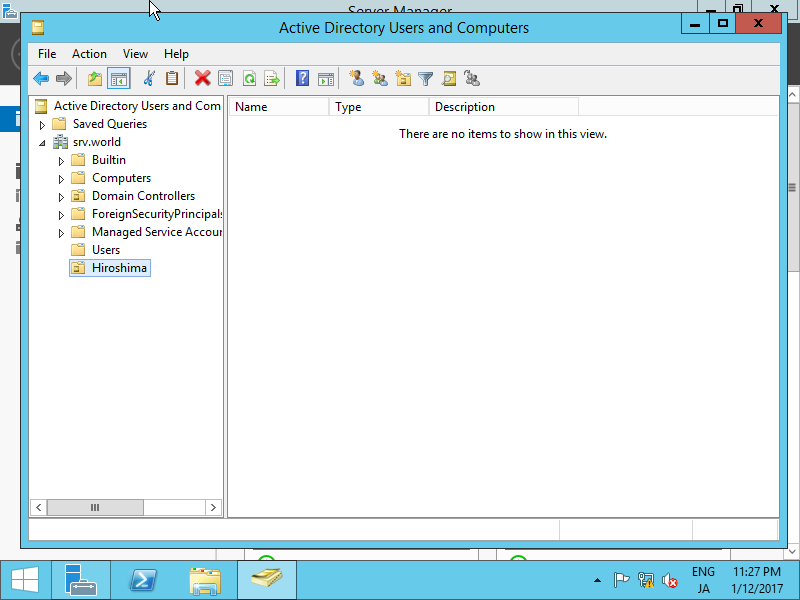
| [3] | A new Organizational Unit is just created. |
|
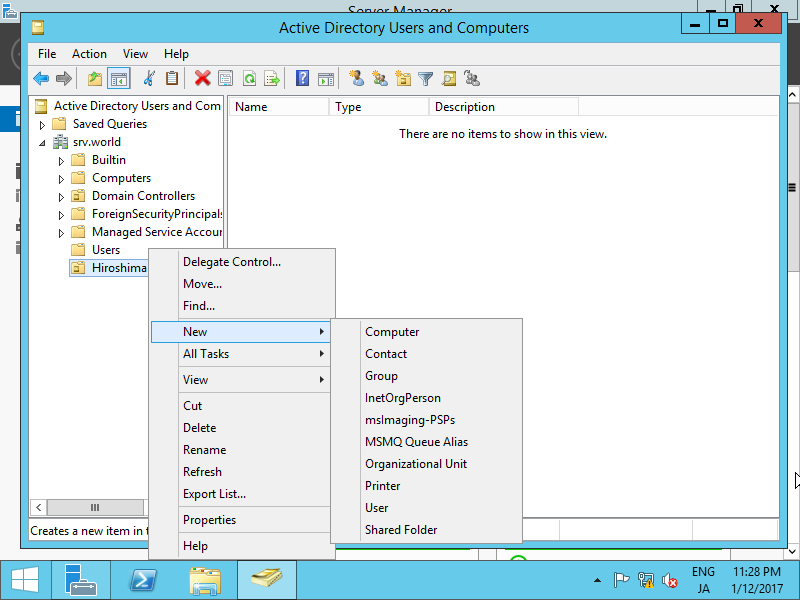
| [4] | It's possible to configure hierarchical design for Organizational Unit. |
|
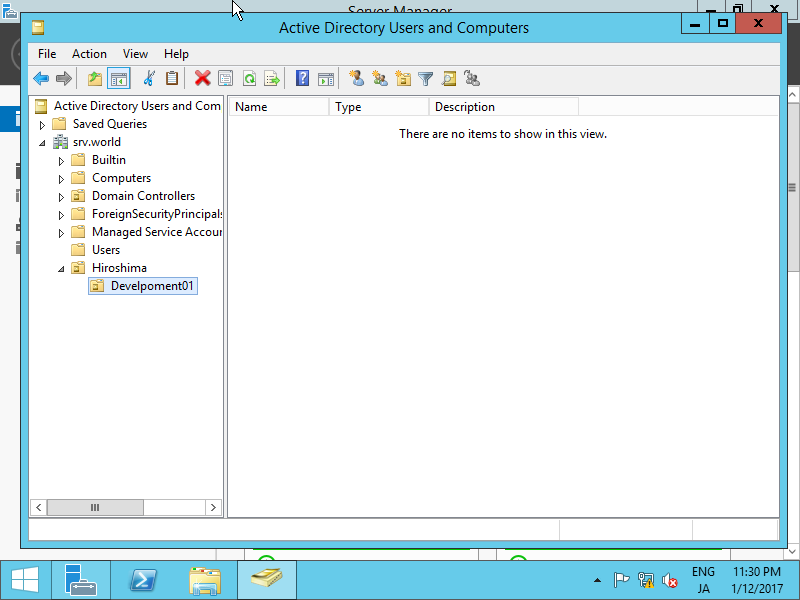
| [5] | A new Organizational Unit "development01" is created under the OU "Hiroshima" as an example. |
|
|
Deletion of Organizational Unit
|
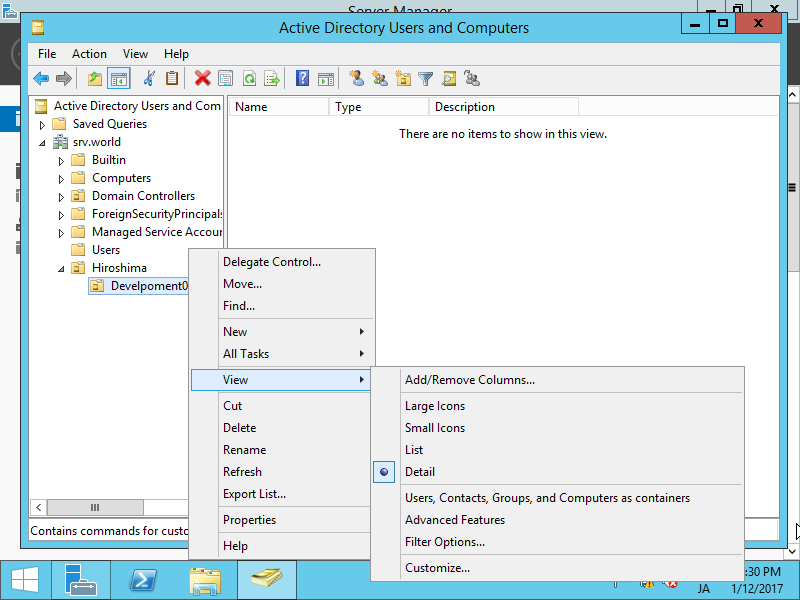
| [6] | For Deletion of Organizational Unit, it cannot delete by default because it is protected. For unprotection, select the OU you'd like to delete and right click it and select [View] - [Detail]. |
|
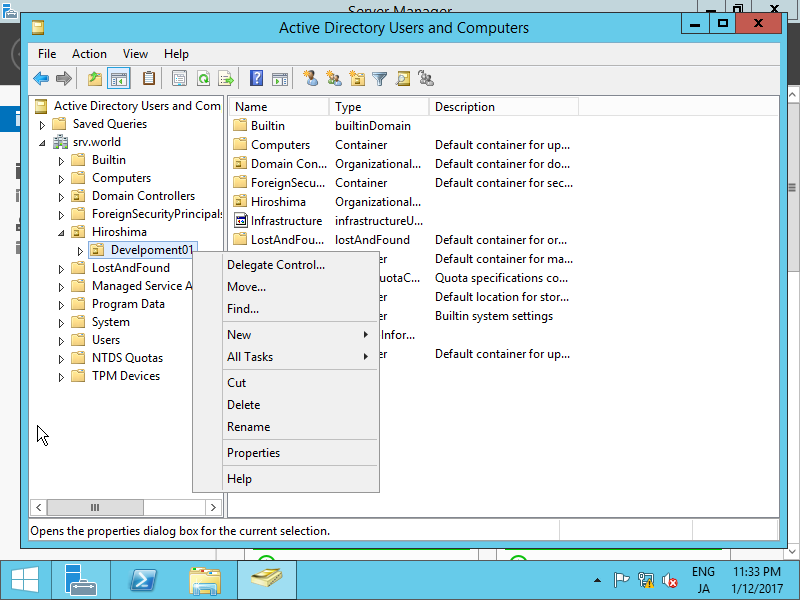
| [7] | Right-click the OU you'd like to delete and open [Properties]. |
|
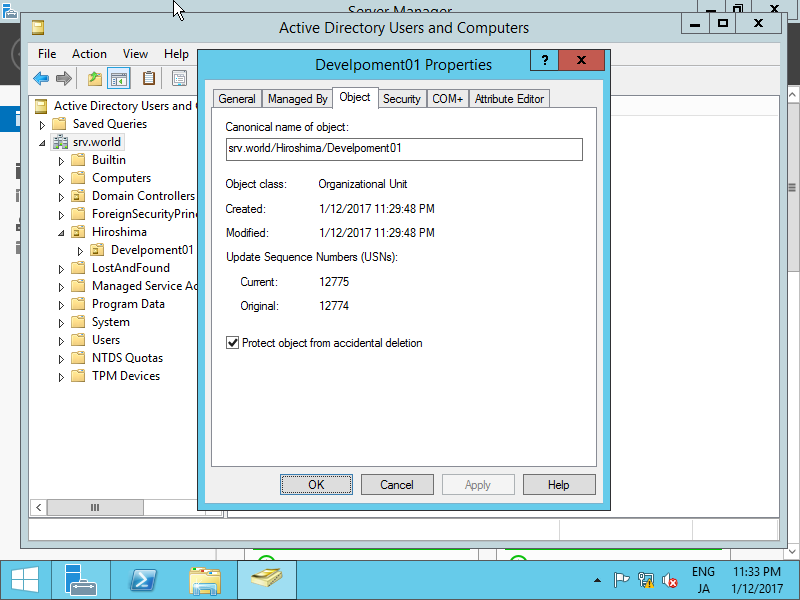
| [8] | Move to [Object] tab and uncheck a box [Protect object from accidental deletion], then you can delete the OU. |
|